Homepage: a private dashboard configured with AI.
Homepage is the front door to my lab: one page that shows the live state of every service I run and holds my bookmarks. I used AI heavily to configure its rich cards, my bookmarks are managed in Karakeep and synced to the bottom of the page, and a scheduled job keeps everything current every 15 minutes.
About the screenshots. The dashboard is only reachable over my VPN and is not exposed to the internet, so this page uses screenshots. I removed several groups and cards and blanked network details before capturing them, so what you see is a subset of the real page.
- Project
- Homepage, a private dashboard for my lab
- Built on
- The open-source Homepage project, using rich cards that show live service data
- Configured with
- AI, heavily
- Bookmarks
- Managed in Karakeep and synced to the bottom of the page
- Kept current by
- A cron job that runs every 15 minutes
- Access
- VPN only, not reachable from the internet
- Shown here as
- Edited screenshots
One page instead of a dozen tabs.
A lab like mine is spread across many web interfaces: a hypervisor, a container manager, a firewall, monitoring, and more. I wanted a single page that shows at a glance how everything is doing and takes me to any of it in one click, with my bookmarks in the same place.
Cards that show state, not just links.
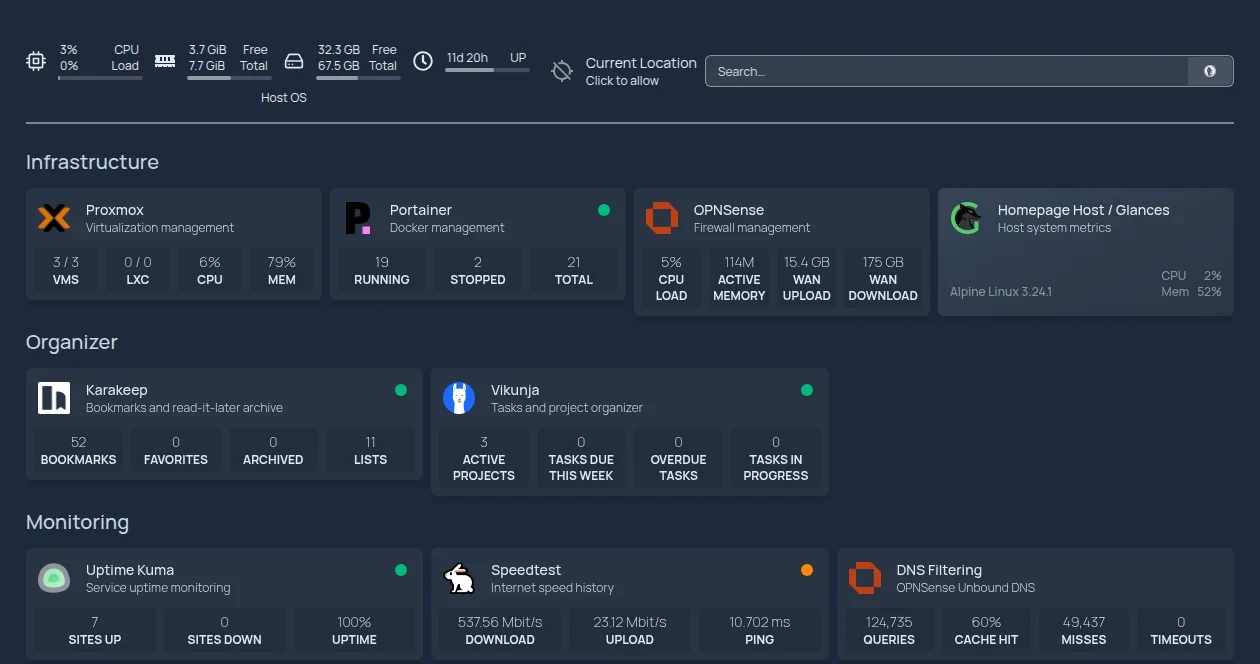
Each service has a card that pulls live numbers from the service itself, so the page reads like a control panel. The cards are grouped by purpose:
- Infrastructure. The hypervisor (VMs, CPU, memory), the container manager (running, stopped, and total containers), the firewall (CPU load, memory, and WAN traffic), and host metrics.
- Organizer. The bookmark manager (bookmarks, favorites, archived items, lists) and the task manager (projects and tasks due or overdue).
- Monitoring. Service uptime, internet speed history, and DNS filtering statistics from the firewall’s resolver: queries, cache hit rate, misses, and timeouts.
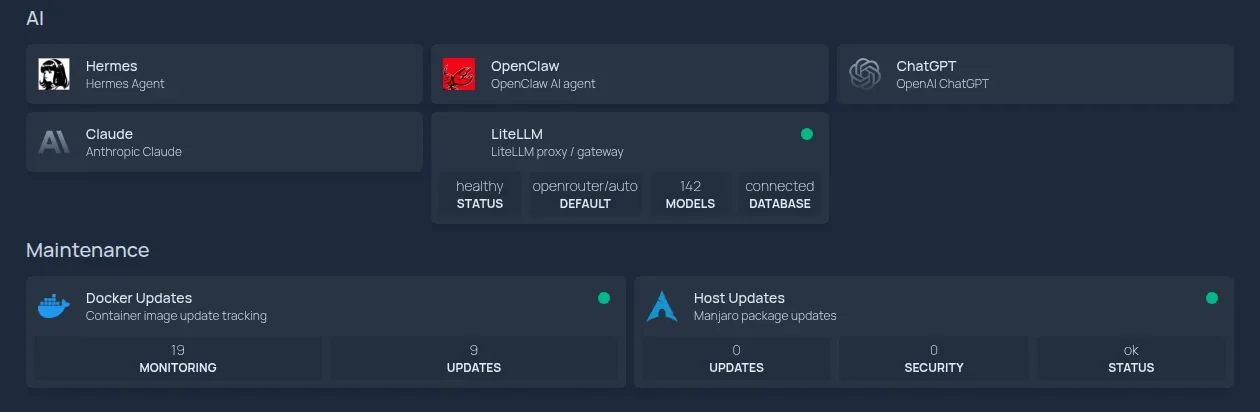
- AI. Tiles for the AI tools I use, plus a card for the gateway that routes requests to models, showing its health and how many models it serves.
- Maintenance. How many containers are being watched for new image versions and how many have updates waiting, and whether the host has package or security updates.
Managed in one place, mirrored on the page.
Karakeep, the bookmark manager, is the single place where I add and organize bookmarks. They are synced to the bottom of the dashboard in groups, so anything I have saved is one click from the start page, and I never edit a bookmark list by hand on the dashboard itself.

A schedule does the upkeep.
A cron job runs every 15 minutes to keep the dashboard up to date, including the synced bookmarks, so a new bookmark or a change to a card appears without anyone touching the page.
Five choices behind it.
One front door.
Every service and every bookmark is reachable from one page, so nothing has to be remembered or hunted for.
State at a glance.
A card that shows live numbers tells me something is wrong before I open the service, and a card that is only a link does not.
One source of truth for bookmarks.
Bookmarks live in Karakeep and the page mirrors them. There is one list to maintain, and it cannot drift out of step with a second copy.
Automation over upkeep.
A schedule refreshes the page every 15 minutes, so keeping it accurate takes no effort and no memory.
Private by design.
The dashboard sits behind the VPN, so a page that knows about every service in the lab is never visible to the outside world.
AI wrote the configuration.
I used AI heavily to configure the dashboard and build its rich cards. Homepage is set up through plain-text configuration files, which suits AI well: I describe what a card should show, the AI produces the configuration, and the page updates.